Creating a Find a Barrister listing on the NZBA website is a benefit afforded to our Full Members. It offers you a unique opportunity to enhance your visibility and connect with potential clients by showcasing your expertise and areas of practice.
The platform enables anyone seeking legal representation to contact you directly through our platform, without passing on your private details, thereby fostering greater accessibility to legal services. Additionally, being listed on a respected platform like the New Zealand Bar Association signals credibility and professionalism, helping to build trust with prospective clients.
How to create a listing
You can create your listing by logging into our member portal. Navigate to your profile and click on the Edit tab. If you have not yet created a login, view our login details.
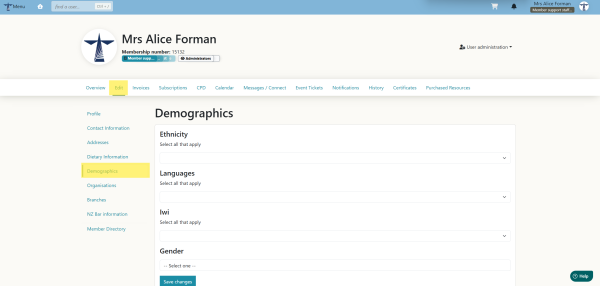
- The first step is to edit your demographic fields on the member portal, as these can inform additional filters in the directory listing. Please select all that apply.
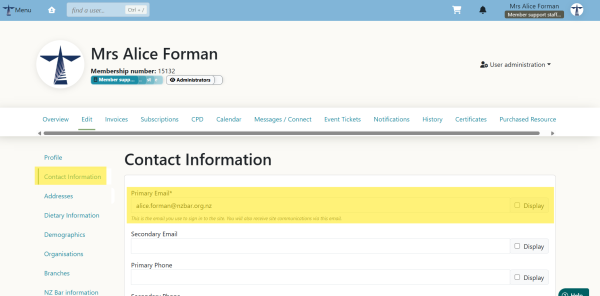
- Your email address is not listed publicly on the directory. A contact form is created on your directory listing, allowing anyone who wants to contact you to send an email to you. This is to protect against automated web spam and unwanted messages. The email will go to the primary email you have listed under your Contact Information in the member portal. Please ensure you keep this up to date.
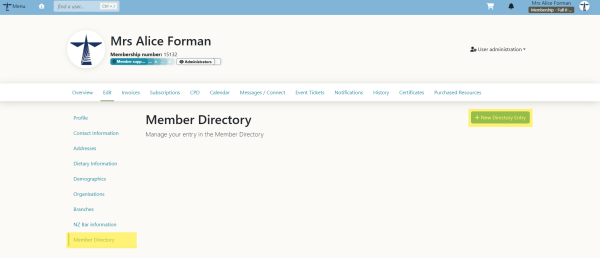
- Next, navigate to the Member Directory tab, and then click on New Directory Result.
- Enter all the required information into the relevant fields. You may select up to a maximum of 5 practice areas and any number of locations. The website, phone, and address fields will be displayed publicly on the listing; please only add this information if you are comfortable with it being made public.
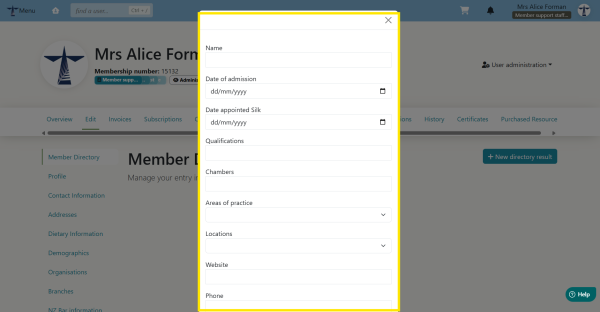
Please tick the boxes if you are a Mediator or Arbitrator.
If you accept direct instructions, click the box, and a free-form text box will display so you can enter the areas where you can accept direct instructions.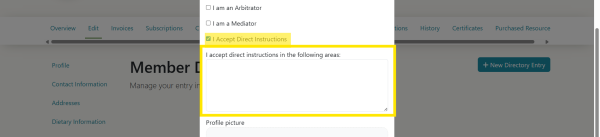
You do not need to add a profile picture if you don't want to, but it does make your profile stand out, so we recommend you add one. - You need to add information to the Bio Section, as this forms the basis of your listing. Here, you can describe your practice and offering in as much detail as needed; it is a plain-text format. You can upload additional files under the CV section to accompany your listing.
Once you have added all your information, click Create.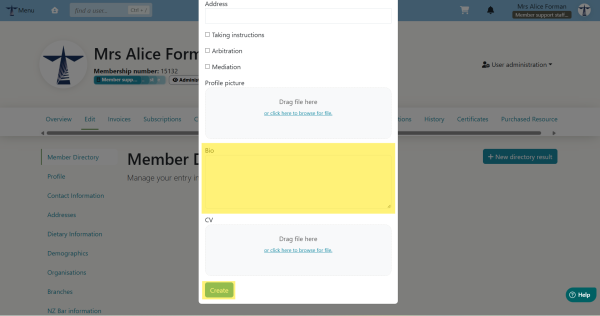
- Once you have created your directory listing, it will automatically populate on our website here. If you do not see it, try refreshing the page. If you still do not see it, then please get in contact.
To see your listing live, visit the Find a Barrister page.
How do I edit my directory listing
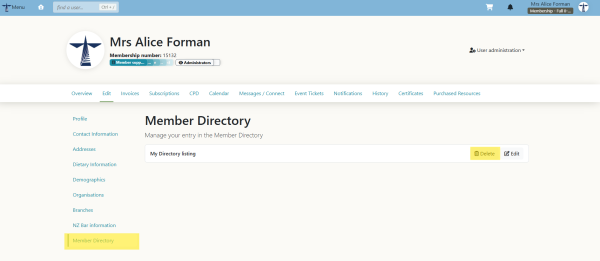
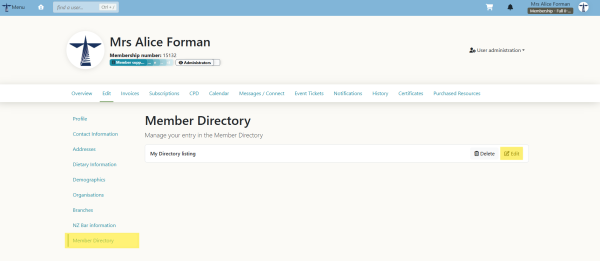
You can update your directory at any stage by navigating to your profile and clicking edit on your directory listing.
How do I delete my directory listing
You can delete your directory at any stage by navigating to your profile and clicking delete on your directory listing. If you still see it, try refreshing the page. If you continue to see it, then please get in contact.