Welcome to the NZBA Website
If you have not yet logged into our member portal, you will need to create a new password. Follow the steps below to log in and create a new password.
How to log in
- Navigate to the Login button on the top right of this screen.

- Then click on the I’ve lost my password Link:
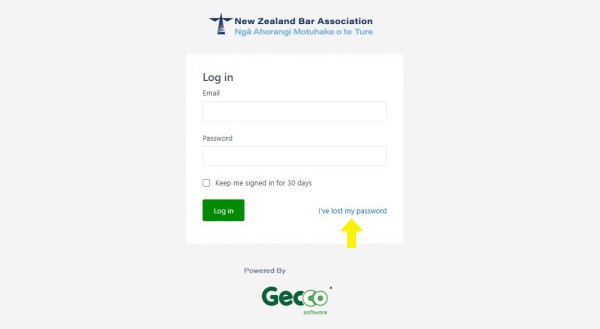
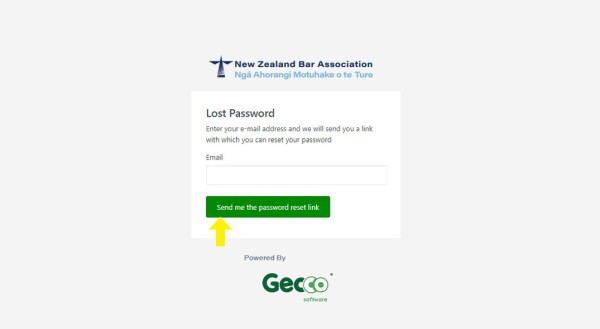
- Then enter the email you receive our invoices and regular communications from and click, Send me the password reset link:
-
An Email will be sent to you with the reset password link included. Click on this link and follow the prompts to create your new password.
If you do not receive this email within 24 hours, please get in contact.
Feel free to look around our portal and update your details. If you have any issues, please get in contact: nzbar@nzbar.org.nz.